9 Prompt Cara Edit Fotomu Jadi Super Kece Pakai AI
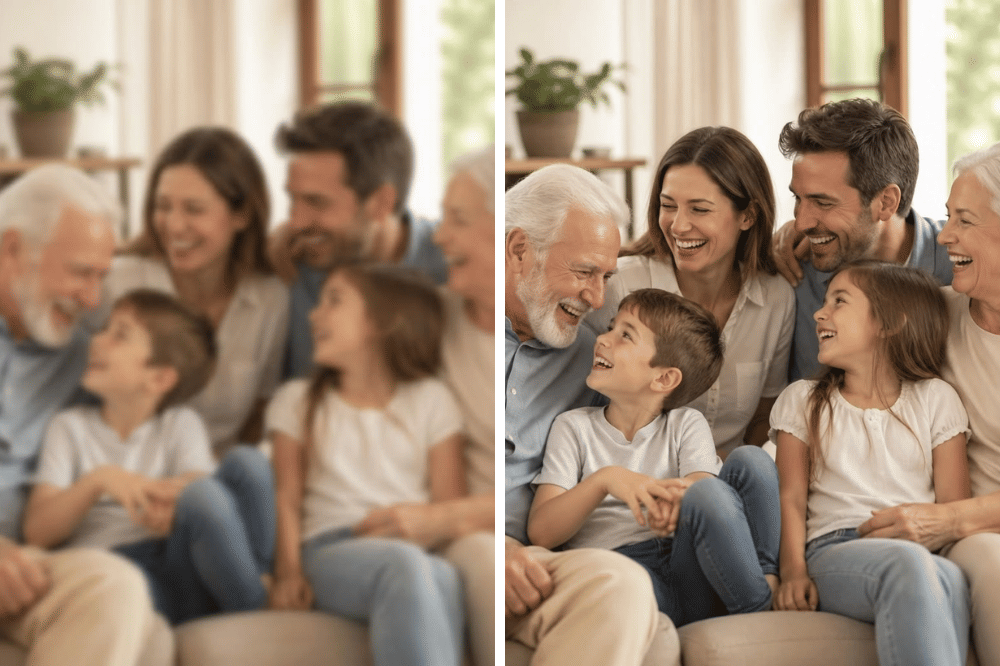
Sembilan prompt AI untuk mengubah foto menjadi potret profesional, sambil mempertahankan wajah, identitas, warna kulit, dan detail alami pengguna.
Pilihan edit mencakup gaya DSLR, sinematik, mewah, perjalanan, editorial majalah, perpindahan lokasi, foto profil formal, pencahayaan golden hour, hingga nuansa profesional.
Prompt menyediakan bagian yang bisa disesuaikan, seperti lokasi, adegan, destinasi, outfit, dan gaya, serta opsi memulihkan foto lama atau buram melalui peningkatan ketajaman dan kualitas.
Maraknya penggunaan AI saat ini sudah tidak dapat dipungkiri lagi. Segala kebutuhan telah menggunakan AI untuk mempermudah kehidupan.
Tidak hanya membantu kemudahan hidup, tetapi juga AI dapat digunakan untuk membuat & mengedit gambar. Namun untuk melakukannya, dibutuhkan prompt atau instruksi kepada AI. Salah satunya adalah ChatGPT.
Nah Popmama.com punya prompt magic 9 cara edit fotomu jadi super kece pakai AI lho! Yuk disimak ada apa saja.
1. Mode fotografer pro
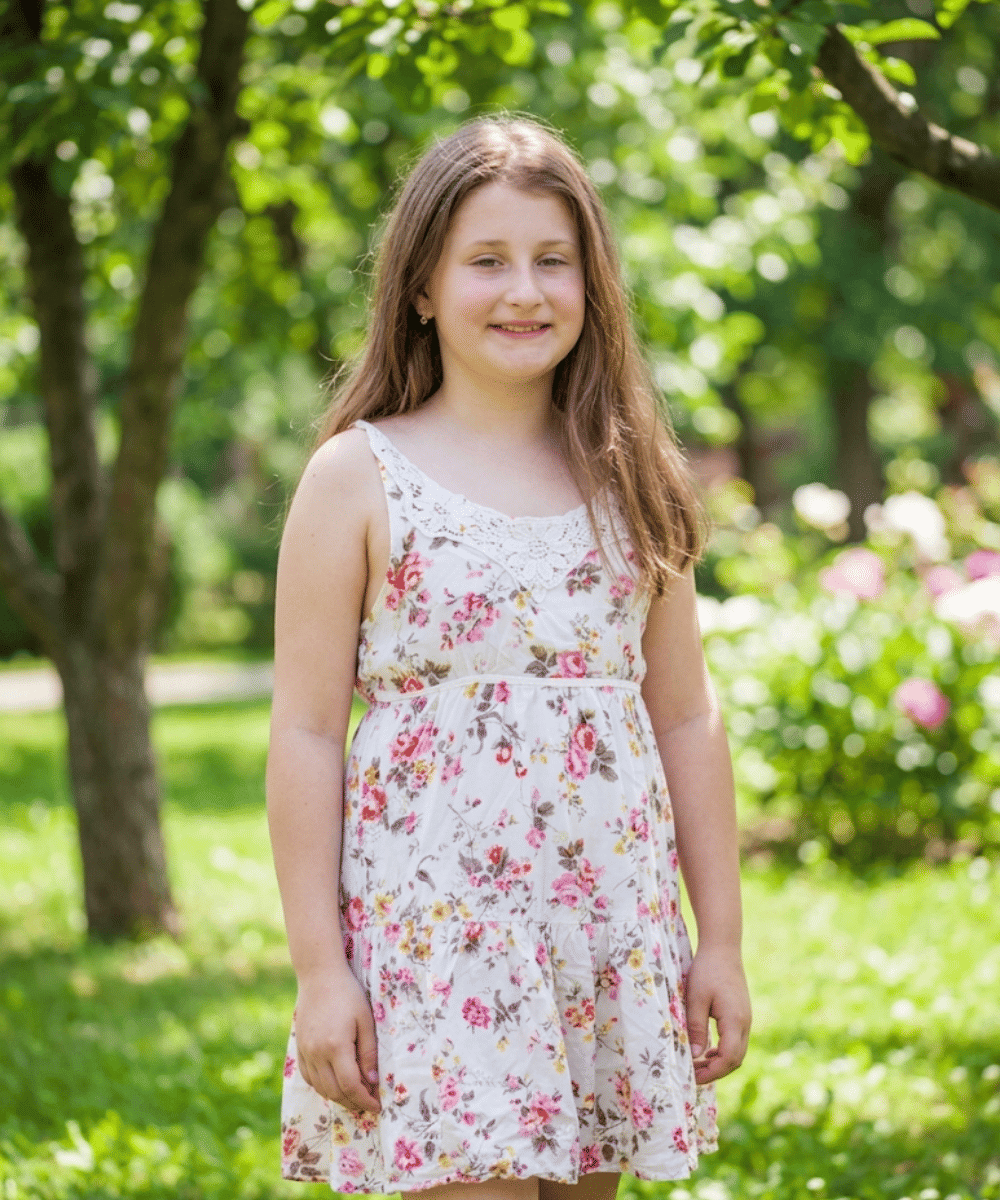
Popmama.com/Raisha Nurul Riza/AI Mode fotografer pro biasanya identik dengan foto yang HD dengan konsep latar belakang blur. Nah prompt untuk membuat foto tersebut seperti ini.
Prompt: Transform my uploaded photo into a professional DSLR portrait. Keep my face, facial structure, skin tone, hairstyle, and identity recognizable and natural. Place me in [LOCATION] with realistic lighting, natural skin texture, shallow depth of field, subtle background separation, realistic lens perspective, professional composition, and authentic photographic detail. Make it look like a real photographer took the photo, not an AI-generated image.
Kata [LOCATION] bisa banget disesuaikan dengan kebutuhan kamu!
2. Mode film layar lebar
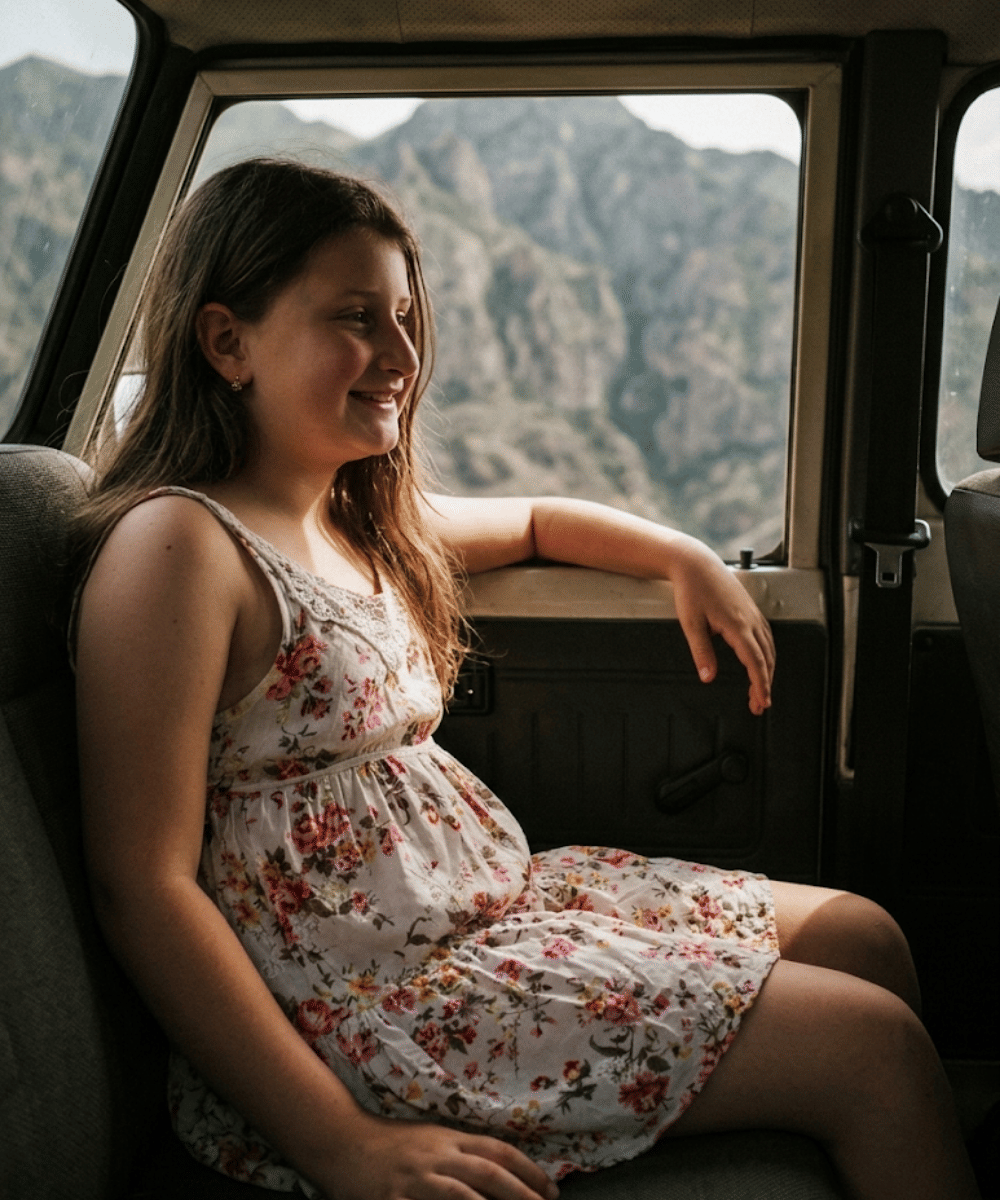
Popmama.com/Raisha Nurul Riza/AI Mode film layar lebar sendiri biasanya menggunakan efek cahaya yang dramatis tapi tetap mendalam dengan tambahan color grading. Prompt nya seperti ini ya.
Prompt: Turn my uploaded photo into a cinematic professional photoshoot. Place me in [SCENE] with dramatic but realistic lighting, natural shadows, shallow depth of field, subtle background blur, cinematic composition, realistic skin texture, detailed clothing, and professional colour grading. Keep my identity and facial features consistent. The final image should look like an actual photograph from a high-end cinematic photoshoot.
Kata [SCENE] bisa banget kamu sesuaikan dengan suasana yang kamu inginkan.
3. Mode keren & mewah
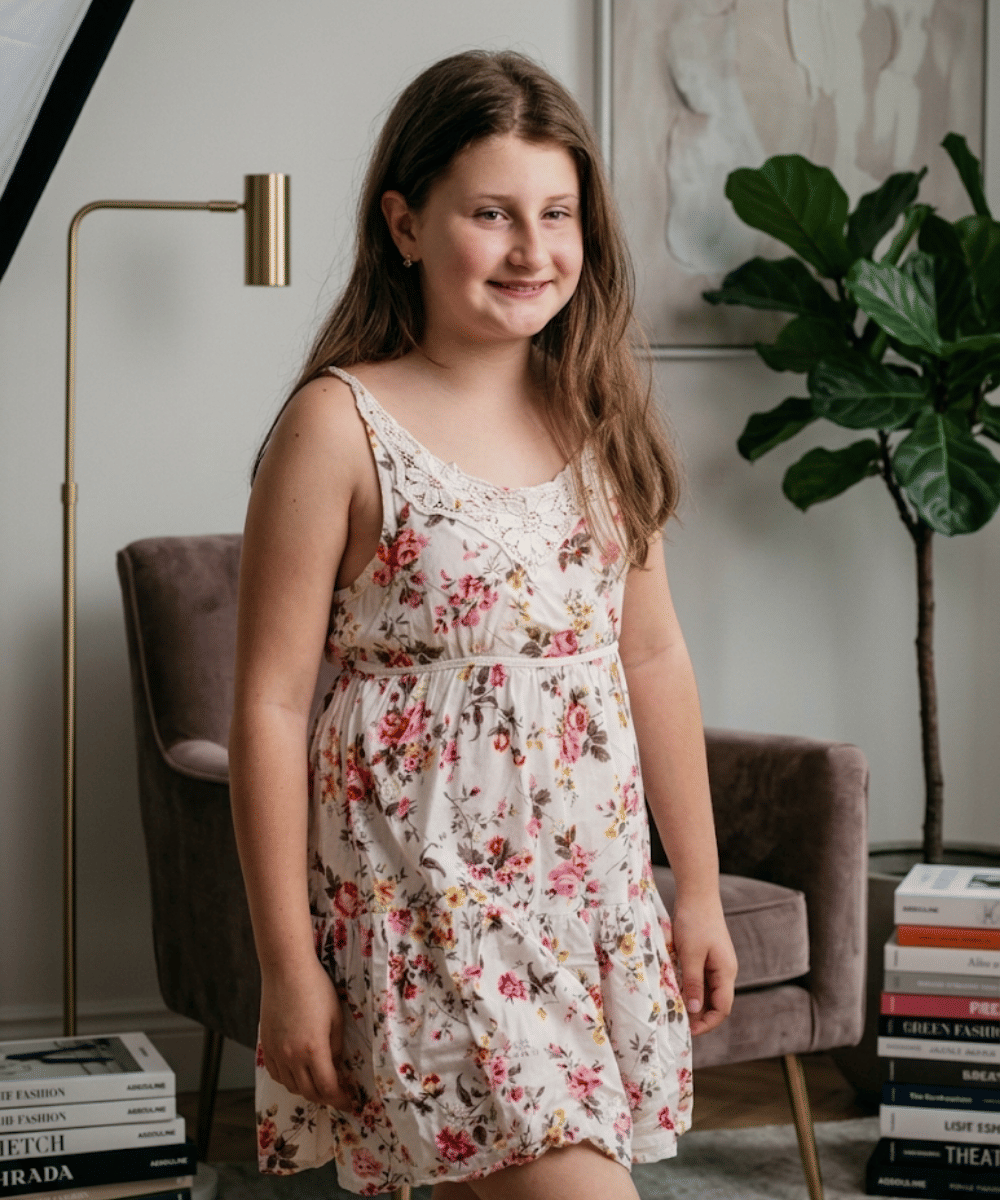
Popmama.com/Raisha Nurul Riza/AI Foto mode keren & mewah bisa kamu jadikan opsi seperti saat photoshoot lho! Foto dengan nuansa studio dengan pencahayaan dramatis serta bebayang. Ini prompt nya.
Prompt: Transform my uploaded photo into a premium lifestyle photograph suitable for a high-end Instagram profile. Put me in [LUXURY LOCATION], wearing [OUTFIT], with sophisticated lighting, realistic environmental details, natural pose, professional composition, shallow depth of field, and authentic skin texture. Make it look expensive and editorial without making it look artificial or overly edited.
Kata [LUXURY LOCATION] dan [OUTFIT] bisa kamu sesuaikan juga ya!
4. Mode jalan-jalan keliling dunia
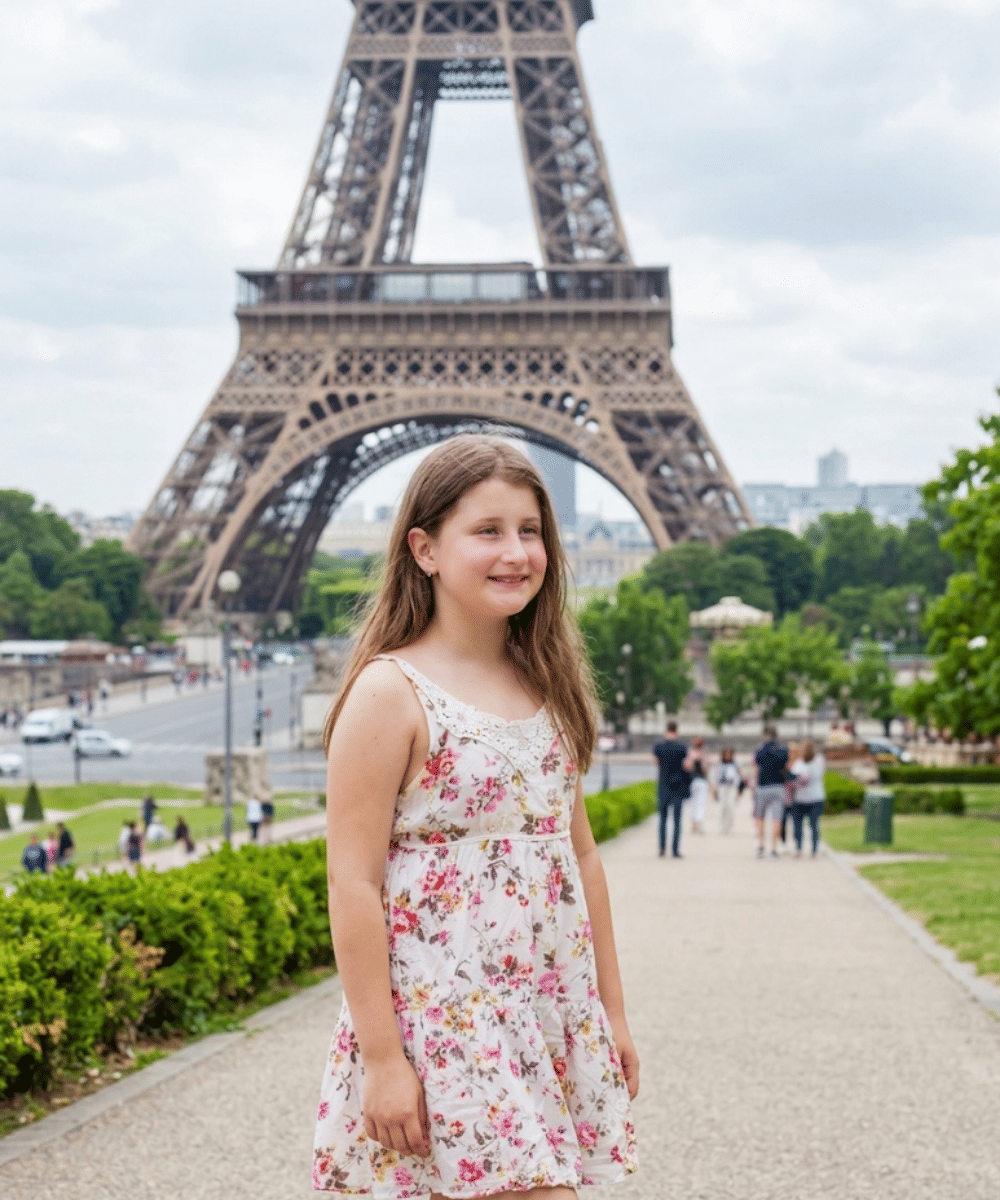
Popmama.com/Raisha Nurul Riza/AI Foto mode jalan-jalan keliling dunia juga bisa! Kamu tinggal memasukkan foto yang mau kamu edit menggunakan AI dengan prompt ini.
Prompt: Turn my uploaded photo into an authentic professional travel photograph taken in [DESTINATION]. Keep my face and identity consistent while naturally integrating me into the location. Match the lighting, shadows, perspective, weather, clothing, and environment realistically. Use a professional travel-photography composition with realistic depth, natural colours, detailed surroundings, and subtle background separation.
Kata [DESTINATION] bisa kamu ubah dengan kota, negara, atau tempat yang kamu inginkan.
5. Mode cover majalah
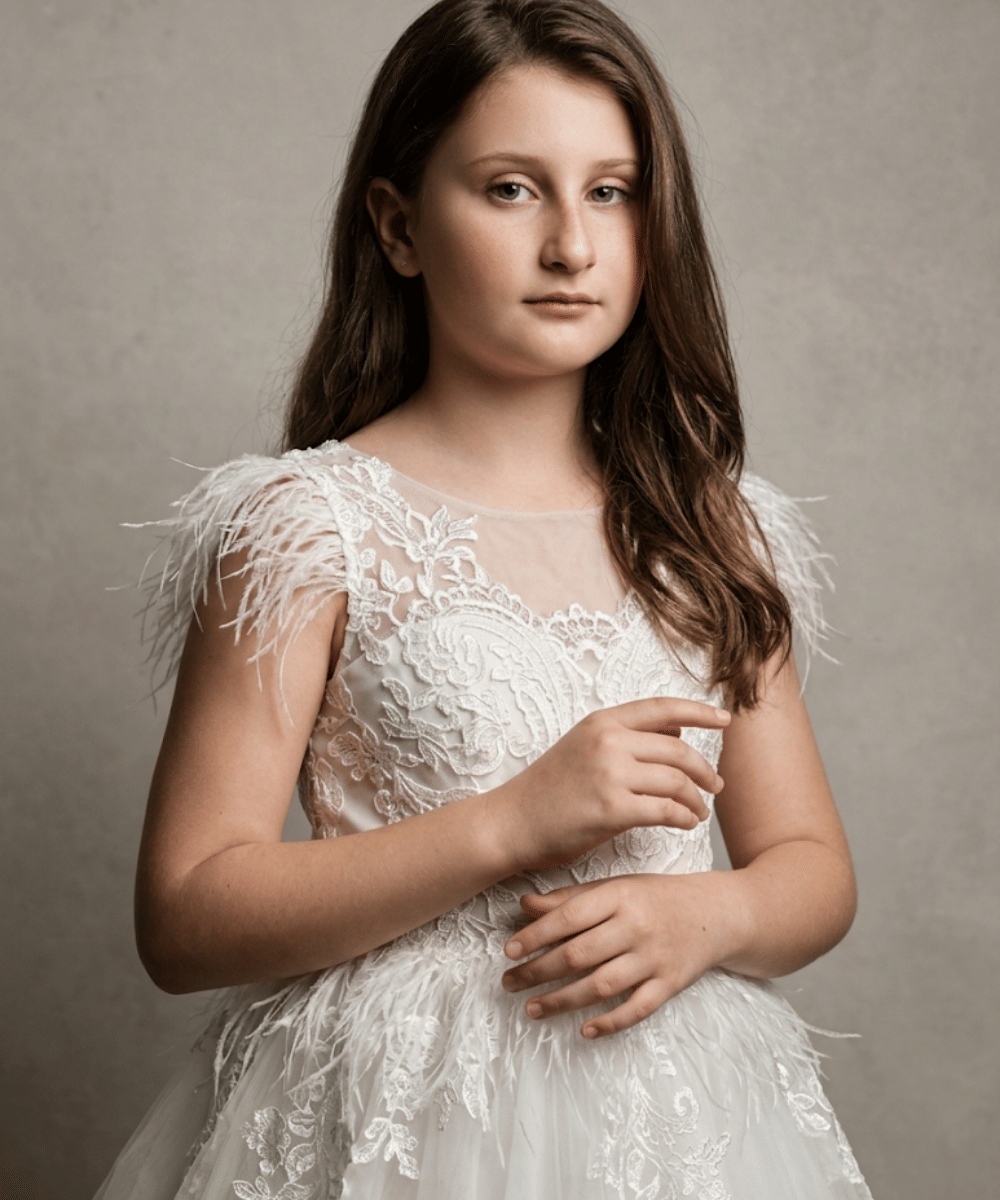
Popmama.com/Raisha Nurul Riza/AI Hampir mirip dengan photoshoot tapi kamu bisa menjadikan foto kamu berada di majalah cover, dengan prompt ini.
Prompt: Transform my uploaded photo into a high-end fashion editorial photograph. Keep my identity recognizable and natural. Give me a sophisticated pose, [OUTFIT/STYLE], professional studio or editorial lighting, realistic skin texture, carefully controlled shadows, premium composition, subtle depth of field, and polished but believable colour grading. Make it look like a real fashion photographer shot it for a major magazine.
Kata [OUTFIT/STYLE] bisa kamu ganti sesuai dengan outfit atau style yang kamu inginkan juga lho.
6. Mode pindah tempat
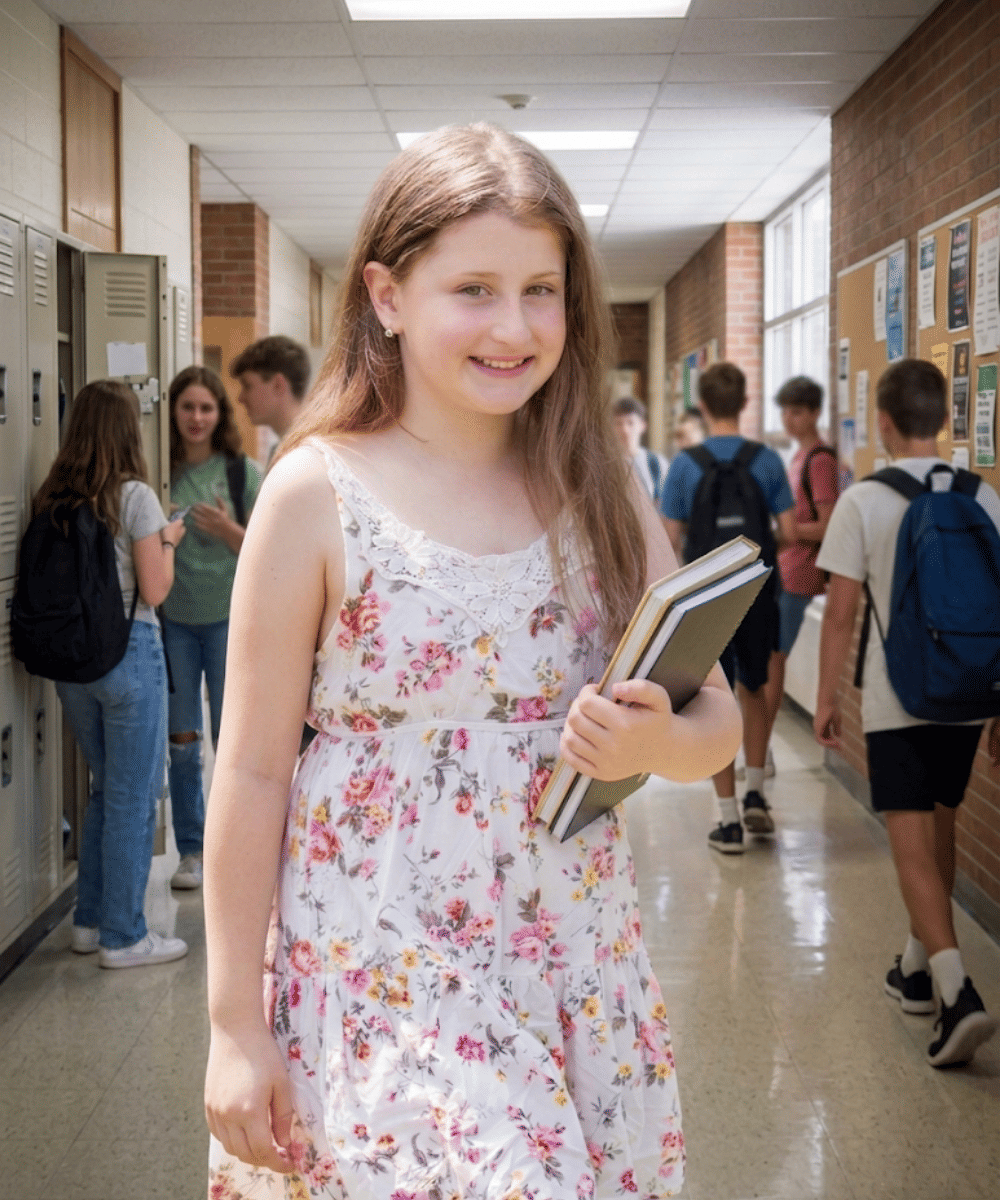
Popmama.com/Raisha Nurul Riza/AI Mau posting foto yang sama tapi beda tempat? Bisa nih kamu coba mode pindah tempat, prompt nya ada di bawah nih!
Prompt: Keep me exactly recognizable from the uploaded photo, but completely change the environment to [LOCATION]. Make the lighting, shadows, perspective, reflections, atmosphere, clothing interaction, and background naturally match the new location. Photograph me as if I was genuinely there with a professional DSLR camera. Preserve realistic skin texture and natural facial details.
Kata [LOCATION] bisa kamu ganti dengan tempat yang ingin kamu gunakan.
7. Mode foto profil formal
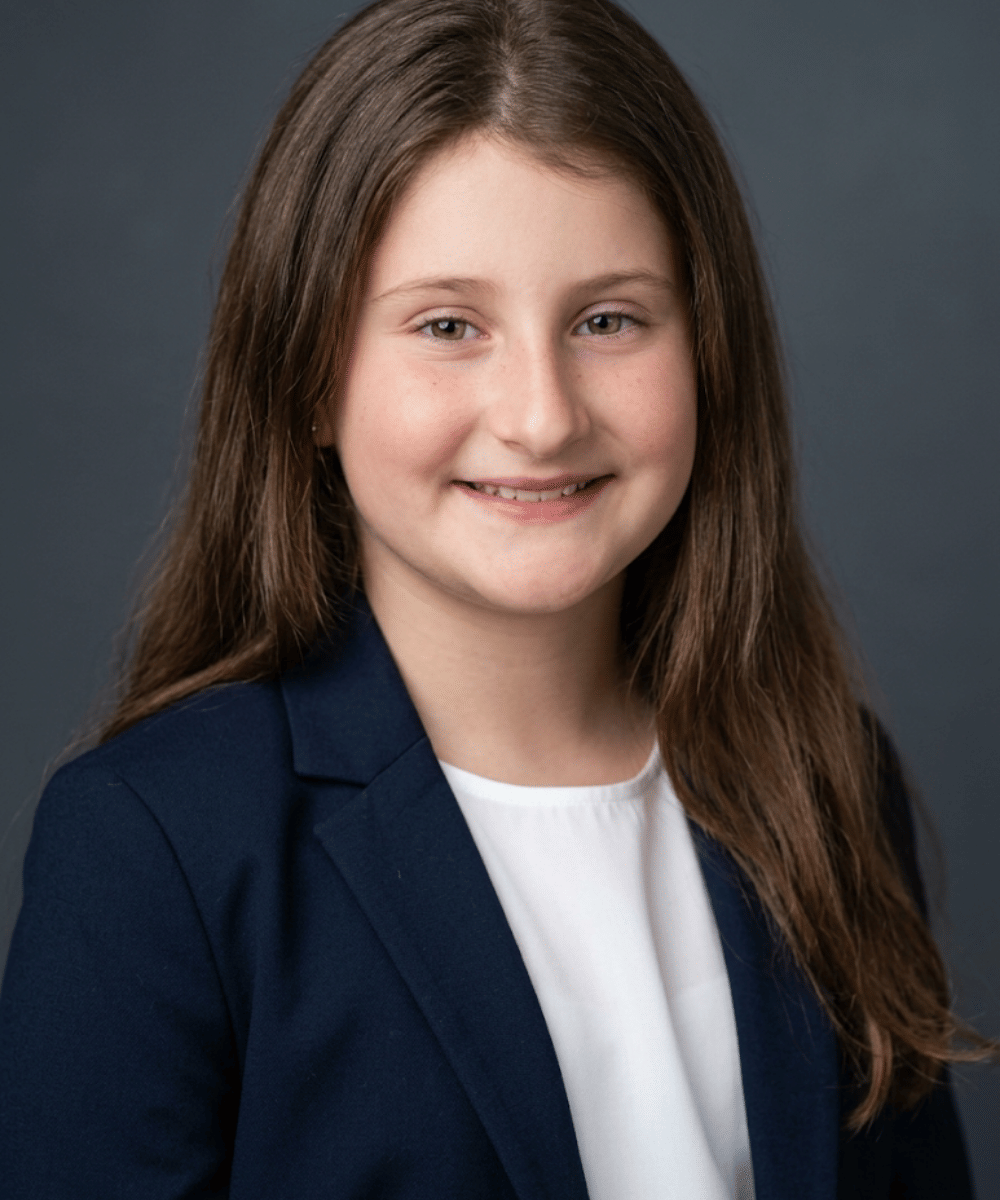
Popmama.com/Raisha Nurul Riza/AI Mode foto profile formal bisa kamu gunakan apabila kamu membutuhkan foto yang rapih menggunakan foto yang sudah ada. Ini prompt nya.
Prompt: Transform my uploaded photo into a professional headshot suitable for LinkedIn, a company website, or a personal brand. Keep my face, facial structure, skin tone, hairstyle, and identity recognizable and natural. Use clean professional lighting, realistic skin texture, natural expression, subtle background separation, sharp facial details, and polished composition. Make it look like a real portrait taken by a professional photographer using a high-end camera.
8. Mode efek cahaya
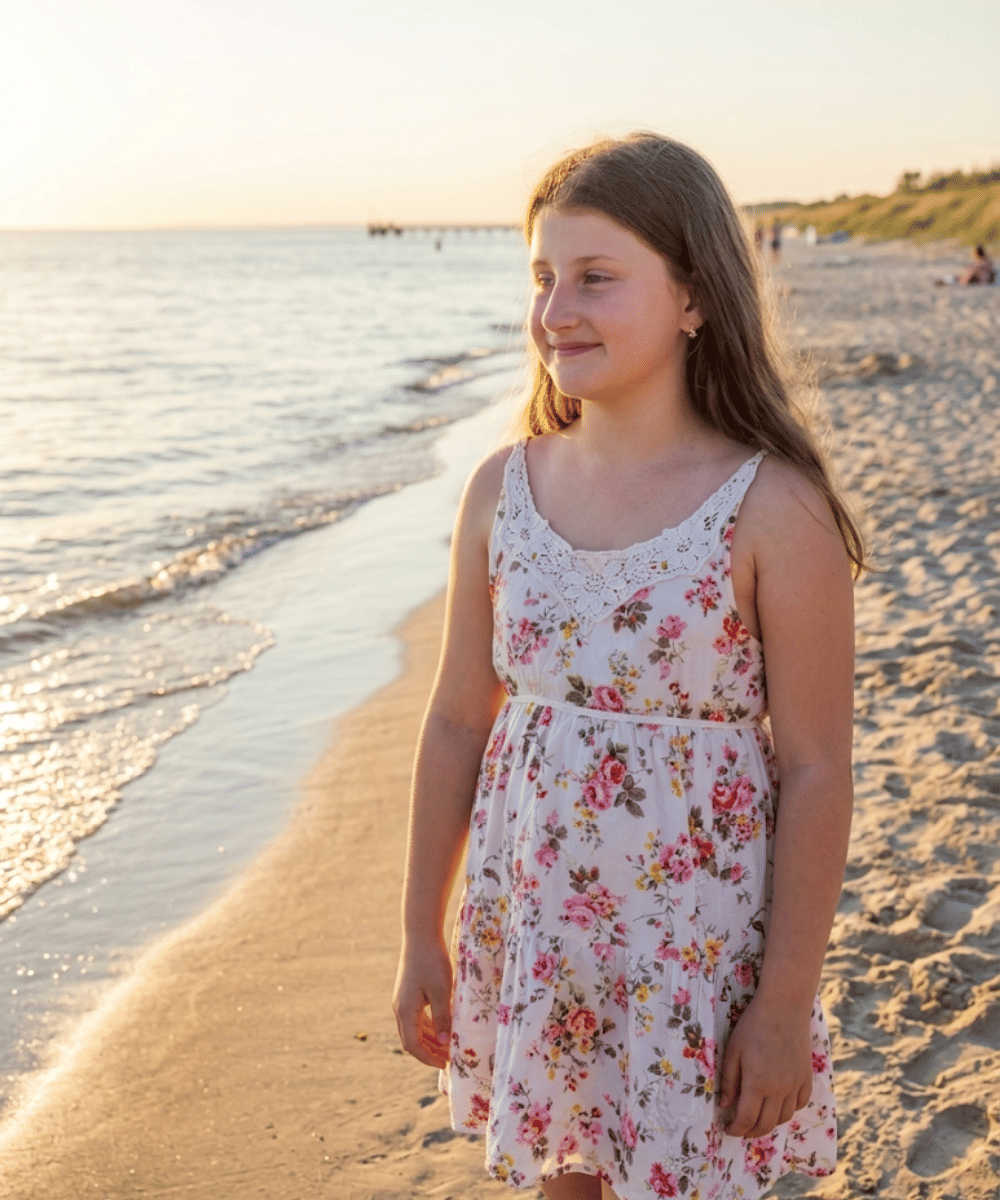
Popmama.com/Raisha Nurul Riza/AI Bagi kamu yang ingin menambahkan efek cahaya ke foto atau gambar kamu, bisa banget menggunakan mode efek cahaya. Ini dia promptnya.
Prompt: Transform my uploaded photo into a professional golden-hour photograph. Keep my face, facial structure, skin tone, hairstyle, and identity recognizable and natural. Place me in [LOCATION] with warm natural sunlight, realistic shadows, soft highlights, natural colours, subtle background separation, and authentic environmental details. Match the lighting and perspective realistically with the location. Make it look like a genuine photograph taken by a professional photographer during golden hour, not an AI-generated image.
Kata [LOCATION] bisa kamu ubah sesuai efek cahaya yang kamu inginkan, misalnya “cahaya tepi pantai di sore hari”
9. Memperbaiki foto lama atau blur
Pinterest.com/robertjrussellcompanies Kamu punya foto lama yang sudah rusak atau blur? Bisa banget kamu perbaiki dengan AI. Ini dia promptnya.
Prompt: Restore and transform my uploaded photo into a modern professional portrait. Preserve my actual facial identity and natural features while improving lighting, composition, sharpness, skin detail, exposure, background, and overall photographic quality. Make it look as though the original photo had been captured today using a professional camera and high-quality portrait lens.
Itu dia prompt magic 9 cara edit fotomu jadi super kece pakai AI. Ternyata AI sangat memudahkan kebutuhan manusia dari hal kecil seperti mengedit foto ya!
Kamu bisa banget gunakan AI sesuai kebutuhan edit foto kamu, jangan lupa dicoba ya.







-TfYn5o7XDtTVHiRrB3Dhb5kBq2ZiurOA.jpg)